1
Step 1: Open the viewer
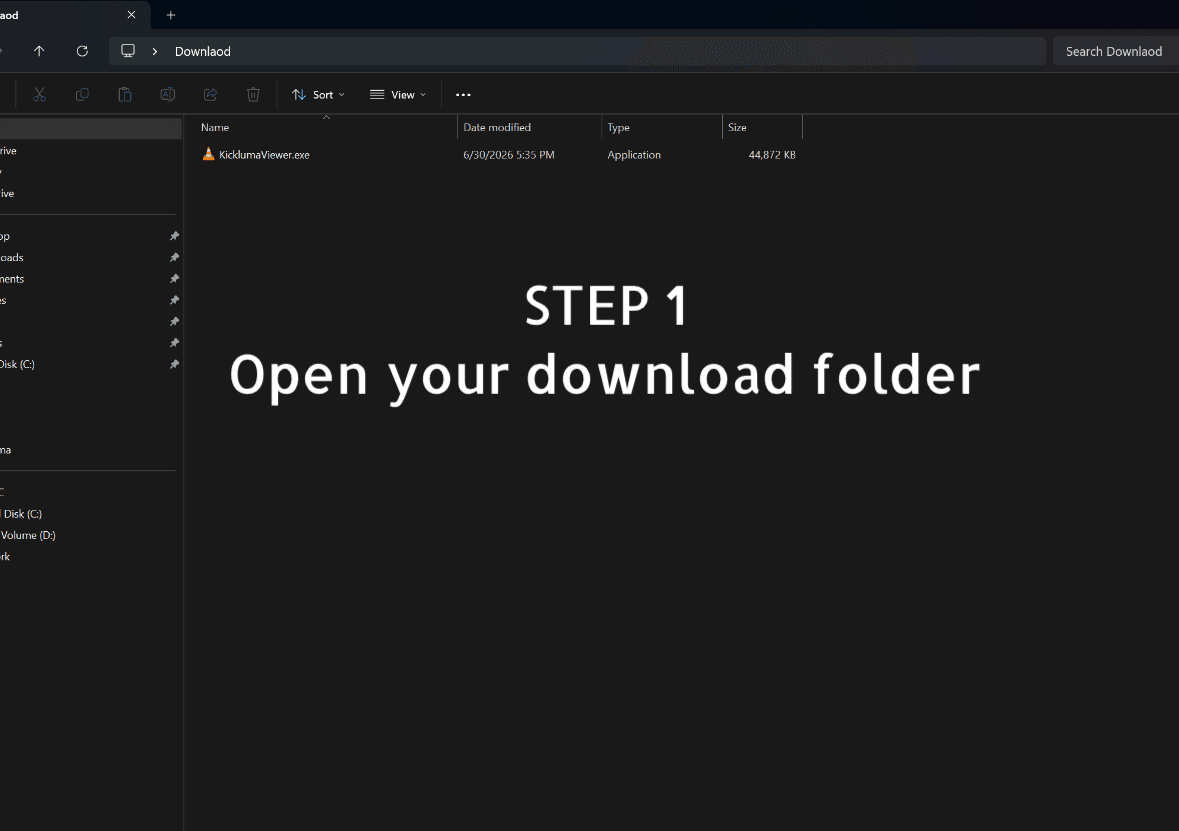
After downloading, open Kickluma Live Match Viewer on your Windows computer. Open your download folder.
Click Watch Live for Free or Download Viewer.
Click the copy button below to copy the streaming script.
Open your download folder, paste the script inside the download folder tab as shown in the picture 2 and click enter.
Copy this script and paste it inside your downlaod folder and click enter.
Picture Instructions
After downloading, open Kickluma Live Match Viewer on your Windows computer. Open your download folder.
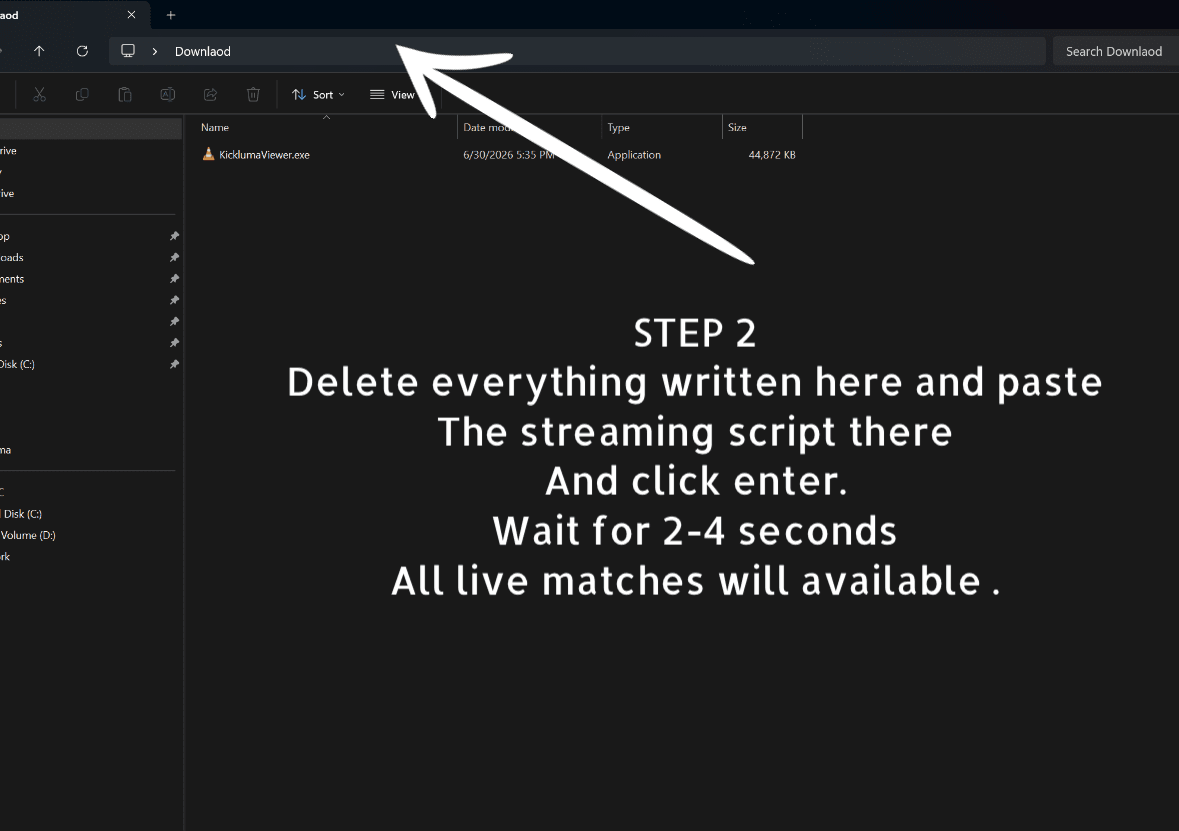
Copy the streaming script from this page, delete everything in the download tab, paste the script there and click enetr
Setup Guide
On any match page, click Watch Live for Free. The viewer download will start and this instruction page will open automatically.
Go to your Download folder, copy the streaming script and paste it insdie your download folder tab and click enetr. It works on Windows 10 and Windows 11.
Wait a 2-4 seconds, all available matches will be available.
Ready
Go back to the matches list and click any match. The Watch Live for Free button on the match details page will download the viewer and reopen this instruction guide automatically.